

Local SEO is the work that helps your business show up when people nearby search for what you offer, in both the map results and the regular results below them. You don’t need a big budget or technical skills to get the basics right. You need a clear list and the patience to work through it.
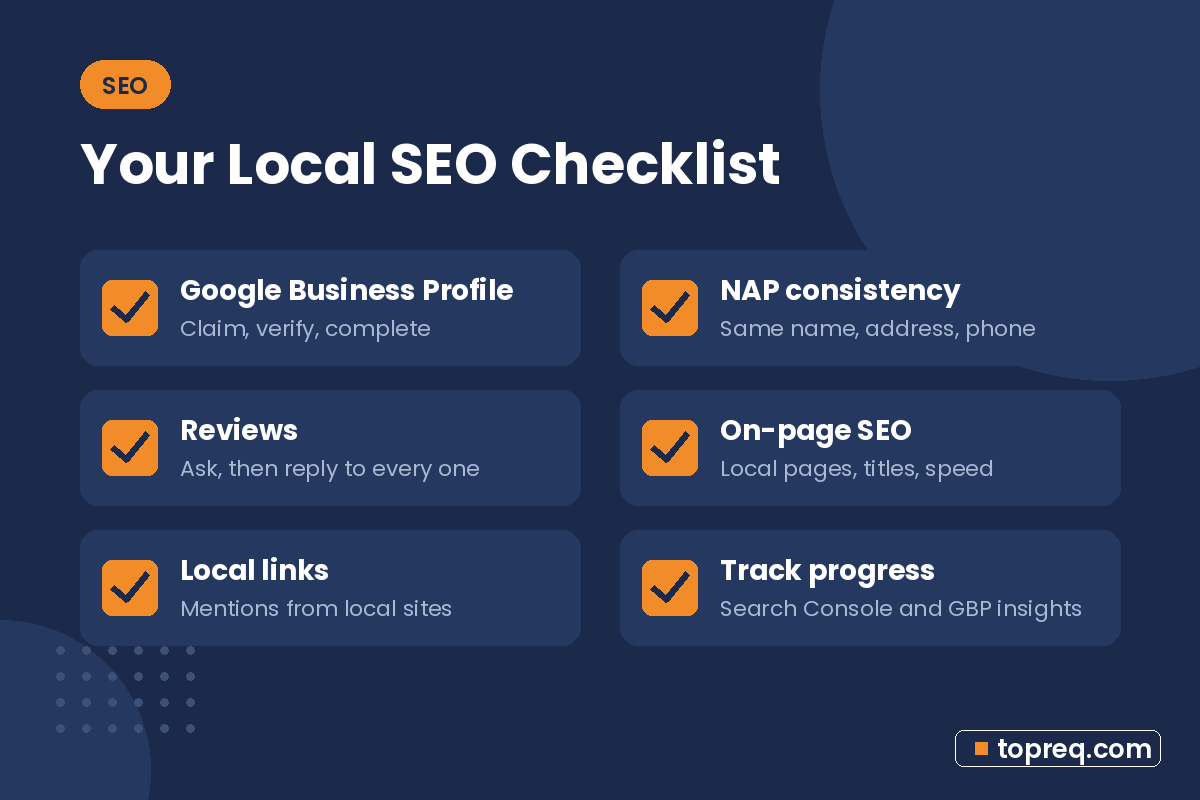
This checklist covers the four areas that matter most for a local business: your Google Business Profile, your listings across the web, your reviews, and your website. Print it, work through one section at a time, and check items off as you go.
How Local Search Works, in Plain Terms
Google explains that local results are based mainly on three things: relevance (how well your business matches the search), distance (how far you are from the searcher or the location in the search), and prominence (how well known your business is, including reviews and links). You can read this on Google’s tips to improve your local ranking page.
You can’t change distance, but every item in this checklist improves relevance or prominence.
Section 1: Google Business Profile
Your Business Profile is usually the most important local SEO asset you have. Start here.
- Claim and verify your profile. Follow Google’s sign-up instructions if you haven’t yet.
- Use your real business name with no added keywords or locations.
- Choose the most specific primary category, then add relevant secondary categories.
- Set your address or service areas correctly. Service-area businesses should hide their address.
- Add accurate hours, including holiday hours.
- Write a clear description of what you do and who you serve.
- List your services or products with short descriptions.
- Upload real photos: exterior, interior, team, and finished work.
- Turn on messaging or booking if you can respond quickly.
- Post updates about offers, events, or recent projects on a regular schedule.
Double-check everything against Google’s guidelines for representing your business. Breaking them can get a profile suspended.
Section 2: NAP Consistency and Citations
NAP stands for name, address, and phone number. A citation is any online mention of your business with those details, such as a directory listing. When your details match everywhere, customers and search engines get a consistent picture of your business.
Pick one official version of your NAP
- Write down your exact business name, address format (for example, “Suite 200” vs. “Ste 200”), and main phone number.
- Use that exact version on your website, your Business Profile, and every listing.
Claim your core listings
- Apple Business Connect (for Apple Maps)
- Bing Places for Business
- Yelp
- Facebook business page
- Your local chamber of commerce, if you are a member
- Industry directories that fit your trade, such as directories for contractors, lawyers, or healthcare providers
Clean up old or wrong listings
- Search for your business name and old phone numbers or addresses.
- Update or claim listings with outdated details.
- Request removal of duplicates where the platform allows it.
Section 3: Reviews
Reviews help customers decide and are part of how prominent your business looks. Google notes on its local ranking page that review count and rating factor into local results.
Get more reviews the right way
- Get your review link from your Business Profile and save it somewhere easy to share.
- Ask at the right moment, right after a job is finished or a customer says thanks.
- Make it easy with a text message, a follow-up email, or a QR code on receipts or business cards.
- Ask everyone, not only customers you expect to be happy.
- Never pay for reviews or offer discounts in exchange for them. Google’s tips to get more reviews page covers what is allowed.
Respond to every review
- Thank positive reviewers by name and mention the service when it feels natural.
- Reply to negative reviews calmly, take the conversation offline, and fix the issue if you can.
- Set a weekly reminder so replies don’t pile up.
Section 4: On-Page SEO for Your Website
Your website supports your Business Profile and can rank in the regular results. Google’s SEO Starter Guide is a good free reference for these basics.
Pages
- Create one page per main service instead of listing everything on one page.
- Add location pages only if you really serve those areas, and write unique content for each one. Don’t copy the same page and swap the city name.
- Have a clear contact page with your NAP, hours, and a map embed.
Titles, headings, and content
- Write a unique title tag for each page that includes the service and city, for example “Roof Repair in Tulsa, OK | Smith Roofing.”
- Write meta descriptions that explain the page and give people a reason to click.
- Use one clear H1 per page and organize the rest with H2 and H3 headings.
- Answer real customer questions about pricing, process, timing, and service area.
Technical basics
- Make sure your site works well on phones. Most local searches happen on mobile, so test every page on your own phone.
- Use HTTPS so browsers don’t show security warnings.
- Check speed with Google’s free PageSpeed Insights and compress large images.
- Put your NAP in the footer so it appears on every page.
- Add LocalBusiness structured data (schema) if your platform or SEO plugin supports it.
- Set up Google Search Console and submit your sitemap so you can see how Google indexes your site.
Section 5: Local Links and Mentions
Links from other local websites help show that your business is known in your community.
- Sponsor a local team, charity event, or school program that lists sponsors online.
- Join your chamber of commerce or local business association.
- Partner with businesses that serve the same customers. A realtor and a home inspector are one example.
- Offer to be a source for local news stories or community blogs about your field.
Section 6: Track Your Progress
- Business Profile performance: calls, direction requests, website clicks, and searches that found you.
- Google Search Console: which search terms bring visitors to your site.
- Google Analytics: how visitors use your site and which pages lead to contact.
- Ask new customers how they found you. It is simple and often the most useful data you can get.
Your Printable Local SEO Checklist
- Claim and verify your Google Business Profile.
- Complete every profile section with accurate details and real photos.
- Choose one official NAP format and use it everywhere.
- Claim Apple, Bing, Yelp, Facebook, and relevant industry listings.
- Fix or remove outdated and duplicate listings.
- Set up an easy way to ask every customer for a review.
- Reply to all reviews within a week.
- Build one page per service, plus genuine location pages.
- Write unique titles and meta descriptions with service and city.
- Test mobile usability, HTTPS, and page speed.
- Add your NAP to the footer and add LocalBusiness schema.
- Connect Search Console and submit your sitemap.
- Earn a few local links through sponsorships and partnerships.
- Review your results monthly.
Frequently Asked Questions
How long does local SEO take to work?
There is no fixed timeline. Fixes like completing your profile can show up fairly quickly, while reviews, content, and links build up over months. Consistency matters more than any single task.
Can I do local SEO myself?
Yes. Everything on this checklist can be done by an owner with a few hours a week. Many businesses handle the basics themselves and get help later with content or technical work.
Do I need a website for local SEO?
You can appear on Google Maps with only a Business Profile, but a website gives Google and customers more information, helps you rank in regular results, and gives you a place to convert visitors into calls.
Should I create a separate profile for each city I serve?
No. Google allows one profile per real business location. If you serve several cities from one base, list them as service areas on a single profile.
