
Reviews are one of the first things people check before they call a local business. A steady flow of recent, honest Google reviews helps customers trust you, and Google lists reviews as part of how it judges a business’s prominence in local results. The good news: most happy customers are willing to leave a review. They just need to be asked at the right moment, in the right way.
This guide shows you how to ask for more Google reviews using simple scripts, review links, QR codes, and good timing, while staying inside Google’s rules and US law. Breaking those rules can get reviews removed or a profile restricted, so the “how” matters as much as the “how many.”
Why Google Reviews Matter for a Local Business
Google explains on its tips to improve your local ranking page that local results are based on relevance, distance, and prominence, and that review count and ratings factor into prominence. Reviews also do a second job that has nothing to do with rankings: they answer the questions a nervous first-time customer has. Is this business reliable? Do they show up on time? What is it actually like to work with them?
Reviews work best alongside a complete profile. If you haven’t finished yours yet, start with our guide on how to set up a Google Business Profile, then come back here.
The Rules: What You Can and Can’t Do
Before you send a single request, know where the lines are. Two sets of rules apply: Google’s content policy and federal rules from the Federal Trade Commission (FTC).
Google’s policy on reviews
Google’s prohibited and restricted content policy treats incentivized reviews as fake and misleading content. That means you should not offer payment, discounts, free products, or free services in exchange for a review, or for changing or removing a negative one. The policy also covers reviews from people with a conflict of interest, such as owners and employees reviewing their own business or posting about competitors.
In practice, keep it simple:
- Do ask every customer for honest feedback.
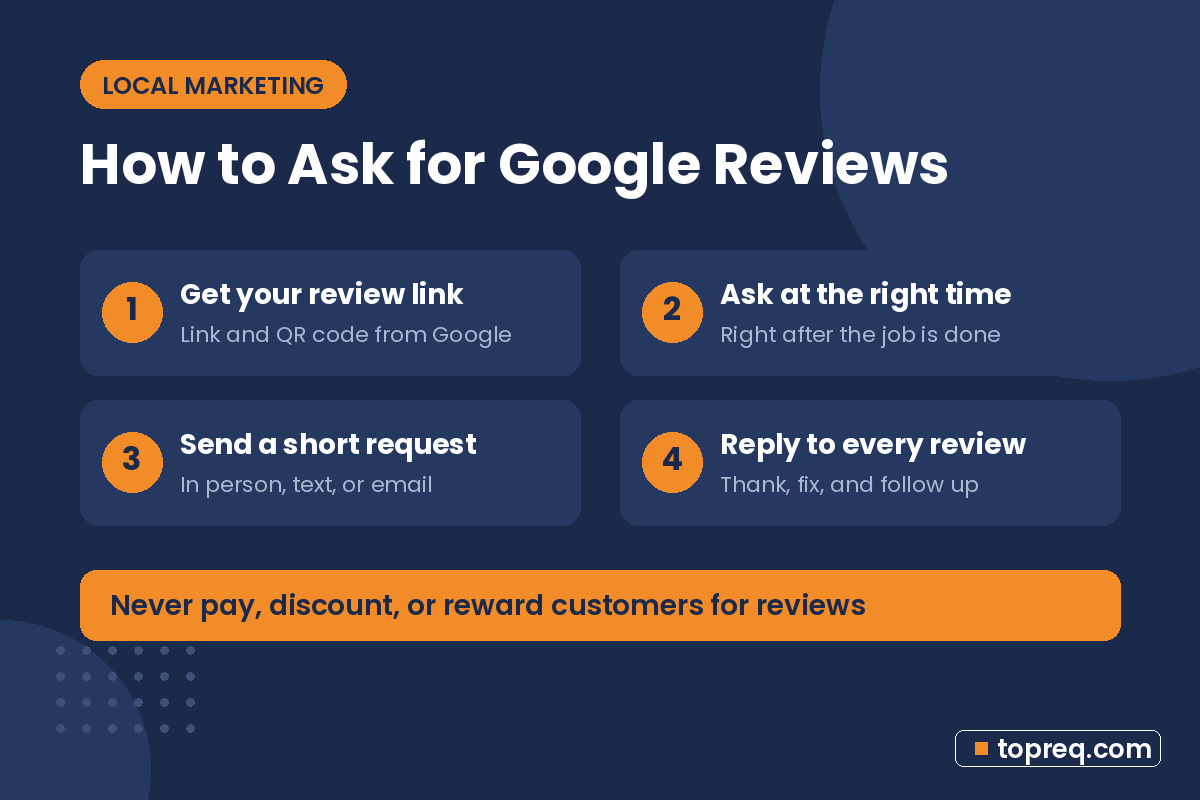
- Don’t offer a discount, gift card, or entry into a prize draw for a review.
- Don’t review your own business or ask staff to do it.
- Don’t buy reviews or use a service that posts them for you.
The FTC’s rule on consumer reviews
In the US, the FTC’s Rule on the Use of Consumer Reviews and Testimonials took effect on October 21, 2024. The FTC’s questions and answers page explains it in plain language. Among other things, the rule bans fake reviews, bans offering incentives that are conditioned on a review being positive, and bans threatening or intimidating people to remove negative reviews.
The FTC also notes that asking for reviews only from customers you think are happy, sometimes called “review gating,” could violate the FTC Act. The safest approach is to send the same request to every customer, whatever you think they will say.
Google is stricter than the FTC on incentives: even an incentive that doesn’t require a positive review breaks Google’s policy. If you follow Google’s rules, you will usually be on safe ground with both.
Step 1: Get Your Google Review Link and QR Code
The fewer taps it takes to leave a review, the more people finish. Google lets you create a direct link and a QR code that open the review form for your business. Follow Google’s instructions to create a Google link or QR code to request reviews.
Once you have them, save the link somewhere easy to copy (a notes app or text shortcut works) and download the QR code as an image. You’ll use both in the steps below.
Step 2: Ask at the Right Moment
Timing is the biggest factor you control. The best moment to ask is right after a customer has experienced the value of your work, while the result is fresh and they’re feeling good about it. For example:
- Home services: when the job is finished and the customer has looked it over.
- Restaurants and cafes: when you bring the check, or in a follow-up the same day.
- Salons, clinics, and studios: at checkout, after the customer has seen the result.
- Online and project work: right after delivery or when the customer says thank you.
If a customer had a problem, fix it first. Then still ask for an honest review, the same way you ask everyone else. A fair, resolved complaint often turns into a review that builds more trust than a five-star line with no details.
Step 3: Use Simple Review Request Scripts
A good request is short, personal, and makes the next step obvious. Here are scripts you can adapt. Notice that none of them ask for five stars or offer anything in return.
In person
“Thanks for coming in today. We’re a small local business, and reviews really help people find us. If you have a minute, would you leave us an honest review on Google? This card has a QR code that takes you straight there.”
Text message
“Hi [Name], thanks for choosing [Business] today. If you have a moment, we’d really appreciate an honest Google review: [review link]. It helps other people in [Town] find us. – [Your name]”
Subject: How did we do, [Name]?
“Hi [Name], thank you for trusting us with [job or order]. We’d love to hear how it went. Would you share your experience in a quick Google review? It takes about a minute: [review link]. Whatever you think, honest feedback helps us improve and helps neighbors decide. Thanks again, [Your name], [Business].”
Follow-up reminder
One gentle reminder a few days later is reasonable. More than that starts to feel like pressure, so stop after one.
Step 4: Put Your QR Code Where Customers Already Look
A QR code works when it’s in front of a customer at a natural pause. Good places include:
- A small sign at the counter or checkout
- Receipts, invoices, and order confirmations
- Business cards or a thank-you card left after a job
- Packaging inserts for products you ship
- Table tents in a restaurant or waiting area
Keep the message next to the code short, such as “Tell us how we did” or “Leave us an honest review.” Avoid wording like “Love us? Leave 5 stars,” which tells people what to say and edges toward the selective asking the FTC warns about.
Step 5: Make Asking Part of Your Routine
Most businesses get a burst of reviews when they first try this, then forget. A steady trickle is better than a one-time spike, both for customers reading your profile and for showing that your business is active. Build the ask into something you already do:
- Add the review link to your invoice or receipt template.
- Add a review line to your job-completion checklist.
- Set up an automatic follow-up email or text in your booking or invoicing tool, if it offers one.
- Remind your team to ask every customer, not just the ones they like.
Step 6: Reply to Every Review
Google’s own tips to get more reviews include replying to reviews. Replies show future customers that you’re listening, and they make people who left a review feel heard.
Replying to positive reviews
Thank the person by name, mention something specific from their review, and keep it short. Example: “Thanks, Maria! Glad the new patio lights came out the way you pictured. Enjoy the evenings out there.”
Replying to negative reviews
Stay calm and professional, even if the review feels unfair. Acknowledge the issue, avoid arguing in public, and offer to fix it offline. Example: “Hi James, I’m sorry the delivery was late. That’s not the standard we aim for. Please call me at [number] so I can make this right.” Never threaten a reviewer or make accusations you can’t back up; the FTC rule specifically addresses intimidation and unfounded legal threats.
If a review breaks Google’s policies, such as spam or a review clearly meant for another business, you can report it through your Business Profile. Don’t report a review just because it’s negative.
Mistakes That Can Get Reviews Removed
- Offering a reward for reviews, even a small discount.
- Asking only happy customers or filtering people before sending the link.
- Having friends, family, or staff review you without real customer experience.
- Buying reviews from any service, no matter what it promises.
Reviews are one part of a bigger local plan. Our local SEO checklist for small business covers the other pieces, from listings to on-page basics.
Frequently Asked Questions
Can I offer a discount for leaving a Google review?
No. Google’s policy treats reviews given in exchange for discounts, free products, or payment as fake and misleading content, and they can be removed.
Is it OK to ask every customer for a review?
Yes. Asking all customers for honest feedback is allowed and is the approach that fits best with both Google’s policy and FTC guidance.
Can I delete a bad Google review?
You can’t delete a review yourself. You can reply to it, and you can report it if it breaks Google’s policies. A thoughtful reply is usually the best response to genuine criticism.
How many reviews does my business need?
There is no official number. Focus on getting recent, detailed reviews on a regular basis rather than chasing a target, and keep replying to them.
Can family members review my business?
Google’s policy restricts reviews from people with a conflict of interest, so it’s best not to ask family or staff. Stick to real customers.
Need help growing your business online? TopReq is run by the team at Boostology, a web design and digital marketing agency.
Services: Website Design, SEO, Social Media Management, Meta Ads.